The short check-in
Open the game with one question: what would I like to understand next? A small decision can be enough for a satisfying visit.
THE POCKET GAME JOURNAL / NO. 01
Pull up a seat at the pixel harbour. Idle Fishing pairs a retro look with a small fishing game made for a gentler kind of session.
Independent game guide. Not affiliated with the developer or Google Play.
Guide checked 30 September 2026.
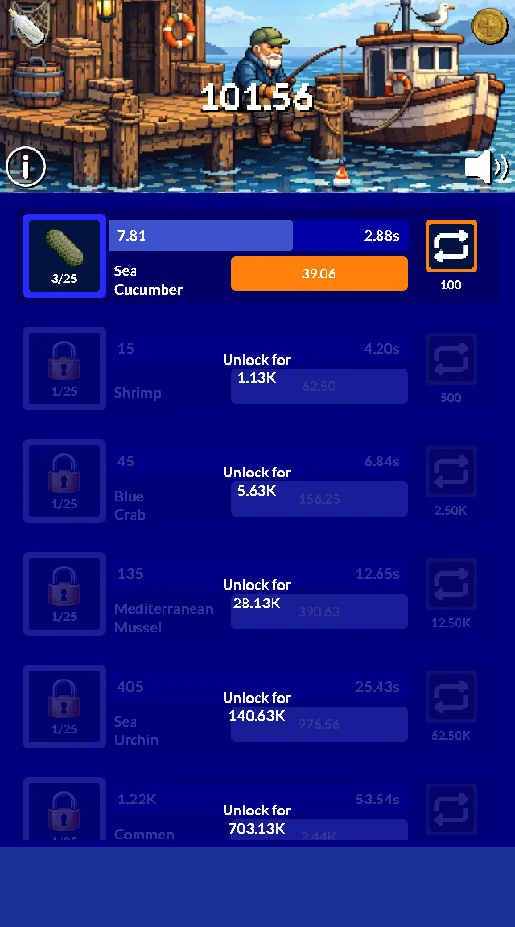
Idle Fishing is a compact idle game with pixel art inspired by the 8-bit computers of the 1980s. The official screenshots combine a harbour scene with rows of fish, upgrade information and bright action buttons.
Our suggested starting point is to look at the interface as a set of choices rather than a list you need to finish. Learn one row, understand its feedback and then move on. A quiet incremental game can be enjoyable without turning every visit into an exercise in maximum efficiency.
Source: Idle Fishing on Google Play. Official listing and screenshots checked 30 September 2026; availability and app details can change.
YOUR FIRST SESSION
Confirm the developer and device compatibility in Google Play. Check the current download details rather than relying on a file from another website.
Read the opening instructions and identify the first available action. Give the interface a little time before trying to use every option.
Choose one entry or available improvement to understand. Notice its cost and effect, and avoid spreading your attention across every row at once.
Review what you learned and decide what can wait. Check how your installed version behaves before relying on progress during an offline break.
WAYS TO PLAY
A little intention can make a short visit more satisfying. Choose the approach that fits your time and attention.
Open the game with one question: what would I like to understand next? A small decision can be enough for a satisfying visit.
Read two available choices carefully and decide which fits your goal. You do not need to select both just because both are within reach.
If considering a restart, review its explanation before confirming. These are editorial ways to approach play, not named menu modes.
HOW IT COMES TOGETHER
Before switching between several entries, understand the information shown beside one fish. Read the labels and watch what changes after an action. A familiar reference makes the rest of the screen easier to follow.
When an upgrade is available, compare its displayed effect with the next goal you have in mind. Our advice is to change one thing before moving to another, so the result remains easy to understand.
One official screenshot describes collecting bottles to restart with faster progress. Treat any restart as an important decision: read the current confirmation carefully and check what carries over before proceeding.
A CLOSER LOOK
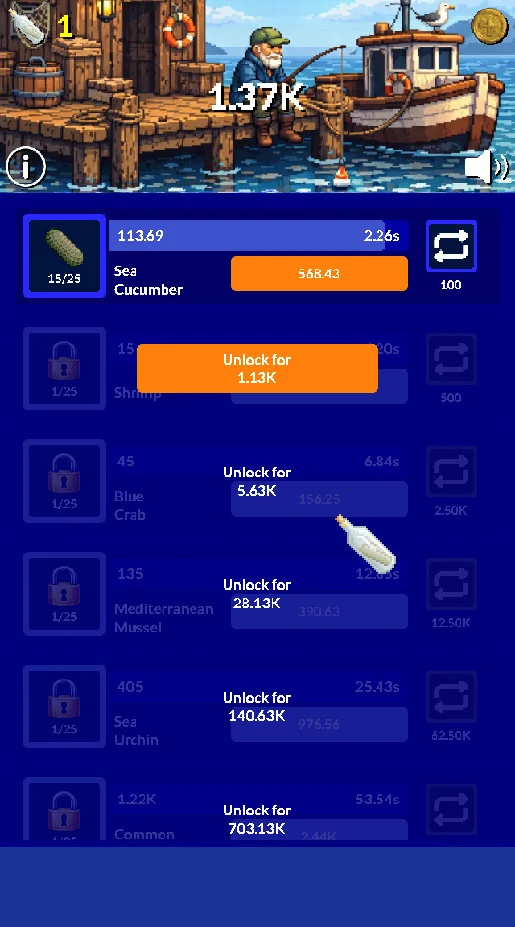
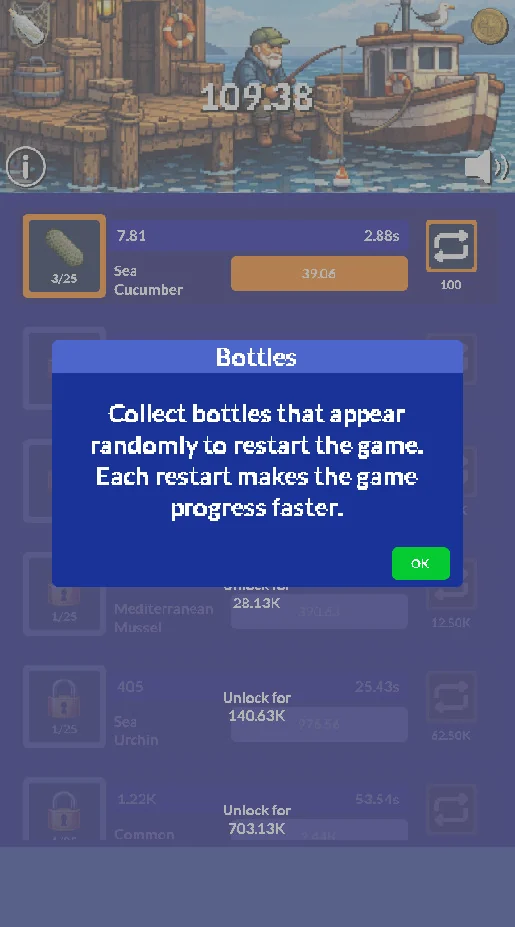
Developer-supplied store images; some artwork may show a different language or device frame. The installed interface can change with updates.
THE EDITORIAL VIEW
Let a small decision be enough for today.
The contrast between the detailed little harbour and the direct, colourful menu rows is the strongest part of the official visual presentation. It suggests a game aimed at people who enjoy watching a compact system develop. This impression comes from store materials, not a hands-on review or a claim about performance.
For players drawn to retro computer aesthetics and gradual decisions. The screenshots are a useful check: if you enjoy reading upgrade rows as much as looking at the scenery, this may be a game to explore.
Use a readable screen brightness, give your hands a rest and stop when playing feels like a task. Younger players should review store settings and any purchase options with a parent or guardian.
PLAYING NOTES
A large number is not automatically the most useful one. Look at what the label measures and how the choice relates to the current stage of your game.
A confirmation deserves your full attention. If you are unsure which progress is retained, leave the action for later and look for the in-game explanation.
After an improvement, observe the result before making another decision. It is easier to understand a sequence when you can distinguish its steps.
Pick a stopping point before opening the app. A slower game works best as a break when checking it does not become a chore.
PROGRESS & REWARDS
An understood upgrade or a newly reached entry can make a small visit feel complete. Try to enjoy the visible change before immediately searching for another target. The example challenge below is an optional way to reflect on your own play; it provides no in-game rewards or redeemable value.
YOUR OWN CHALLENGE
Set a personal goal around understanding the game: make an informed upgrade choice, explain a change in the interface or finish a session at the time you planned. If you compare notes with a friend, agree on similar conditions and avoid treating different stages of progression as a fair contest.
COMMUNITY CHALLENGE · ILLUSTRATIVE EXAMPLE
An example of how friends could compare practice goals. The names and points below are fictional; this is not a live game ranking.
| Place | Example player | Focus | Points |
|---|---|---|---|
| 01 | HarbourFox | Reading upgrades | 320 |
| 02 | BluePebble | Planning a session | 280 |
| 03 | QuietReed | Reviewing a reset | 245 |
These example points are an editorial illustration, not an app currency or official scoring system. Gamemira does not collect scores, run tournaments or distribute prizes.
COMMON PITFALLS
A restart may have a different consequence from an ordinary upgrade. Slow down whenever the game asks you to confirm an important action.
An unavailable entry can be a later goal. Focus on the choices that make sense now instead of measuring the whole session against what remains locked.
Test your installed version before planning a disconnected session. An idle design does not, by itself, explain how every feature handles connectivity.
DEVELOPER & UPDATES
Published by Funny Pixels. The latest update shown when this guide was checked is Aug 25, 2026.
The current release notes describe fixes for a couple of minor bugs. Check the current release notes before updating, and revisit the controls if something feels different.
Read the current listing or contact [email protected] for app support.
A larger-text option and an in-game explanation of how to compare upgrade choices would be welcome. These are editorial wishes, not a promise about future releases.
Reviewed 30 September 2026. Our tips are editorial suggestions. We do not present invented user reviews, star ratings or an unannounced release schedule.
BEFORE YOU INSTALL
Open Google Play on your Android device to check the current version, download size and compatibility. Leave room for updates and review permissions at first launch. An idle design alone does not guarantee offline access.
The listing identifies advertising. Review any current purchase conditions in the store and app. Read the price and confirmation screen before accepting a charge. This website does not sell items or process payments.
The developer declares no data collection and no sharing with third parties. Review the current app privacy information and permissions before playing; a store disclosure is not a security audit.
You can read this guide without an account. The app and Google Play have their own terms and privacy policies. Questions about a game account or application data should go to the developer.
QUESTIONS, ANSWERED
Installation, playing advice and the difference between this guide and the game.
Every download button here opens the official Google Play listing. Check the developer name and your device compatibility there before installing.
No. This is an independent editorial guide. We do not claim a partnership with the game developer or Google Play.
Read the opening instructions and identify the first available action. Give the interface a little time before trying to use every option.
A large number is not automatically the most useful one. Look at what the label measures and how the choice relates to the current stage of your game.
They are editorial suggestions for how to spend your time. Follow the actual menu and instructions in your installed version for available modes.
No. Its names and points are fictional examples. This website does not collect results, register players or award prizes.
Read the ads and purchases section above, then check current store conditions. Confirm any charge only after reviewing the system purchase screen.
Google Play checks availability and compatibility for your device. Use the current listing for the Android requirement, app size and version.
Check your installed version before planning a disconnected session. Downloads, updates and external services need internet access; idle progression and offline availability are different questions.
This guide is based on official materials and editorial analysis. It is not a benchmark, security audit or claim of hands-on testing.
Contact the developer at [email protected]. Include the app version and a clear description of the issue; never email your password or payment details.
Write to [email protected] with the page and the information you would like us to review. This is the website contact, separate from game support.
YOUR NEXT FISHING BREAK